4.4. Monitor Out
Accessing temperature readings is most accurate when performed digitally via USB, Ethernet or GPIB (option card). However, there are some applications where a voltage-based temperature reference is more convenient.
In Monitor out mode, analog outputs 5 to 8 will track the assigned control input according to the scaling parameters entered. A common use for this function would be to send a voltage proportional to temperature to a data acquisition system.
The Input (control loop) setting determines which sensor input is tracked by the output. The remaining parameters detailed in this section dictate how the output value is determined.
The following figure shows an example of Output 6 configured for Monitor out mode. In this example, Input B is assigned to Output 6, and the 0 V to +10 V analog output is scaled to a 0 K to 100 K temperature range.
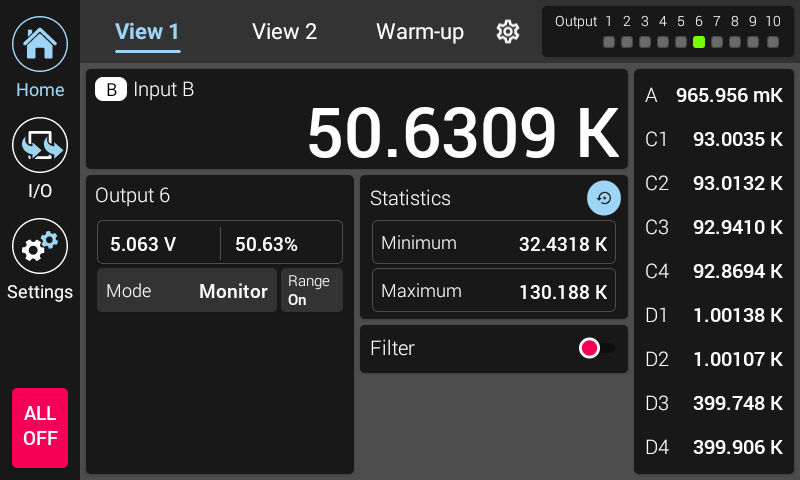
Figure 4.5 Monitor out home screen example
The output scaling is discussed in the following section.
Interface Command: OUTMODE
Monitor units and scaling
The units of the input reading are dependent on whether a curve is assigned to the specified input. If a curve is not assigned to the specified input, the reading will be in sensor units. This causes the Monitor out high and low limits to be interpreted in sensor units. When a curve is assigned to an input, this causes the Model 346 to interpret the high and low limits in temperature units. Temperature units are configured in the input setup menu.
Note
The high and low limits can only be set using the remote interface. ColdSync™ software provides a convenient way to set the limits.
The following figure shows the ColdSync™ Output configuration screen.
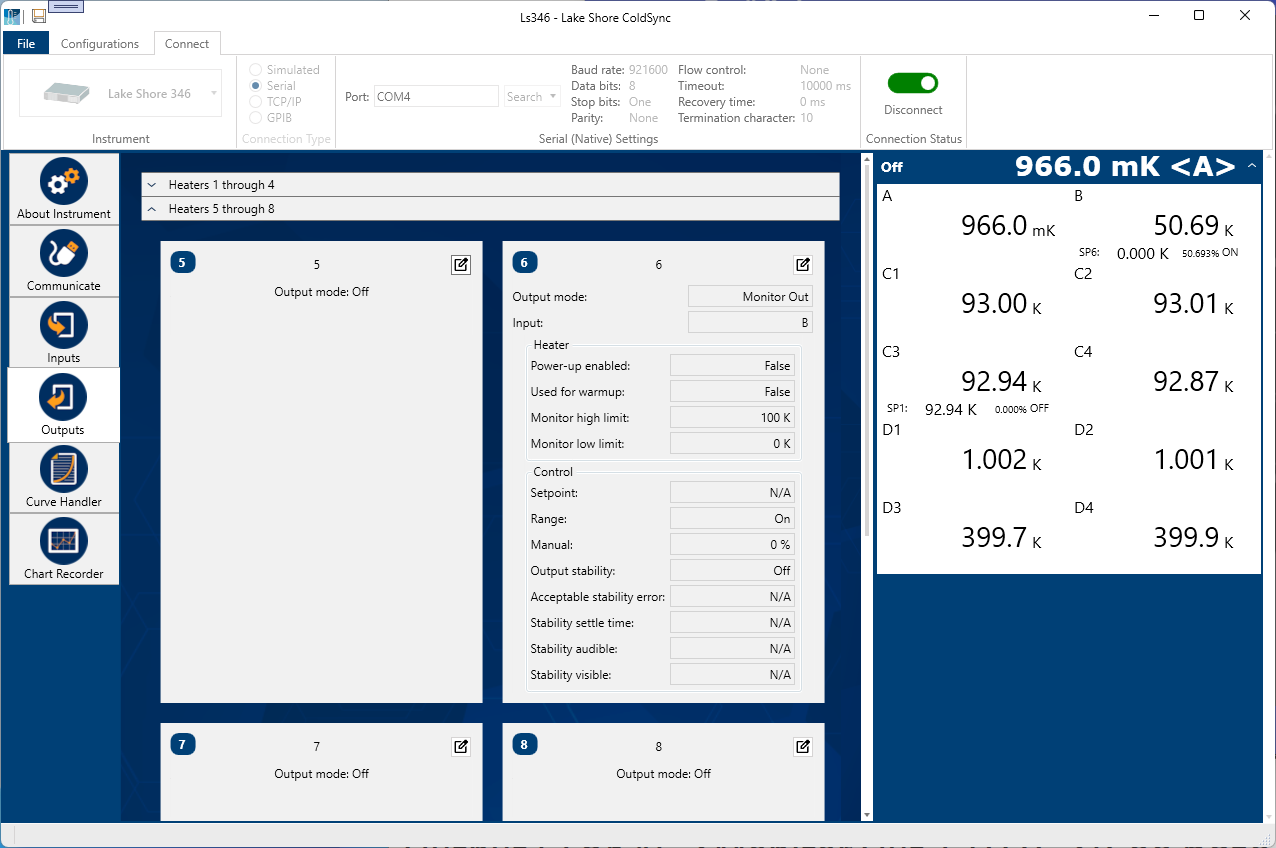
Figure 4.6 Monitor out home screen example
The Monitor high limit setting determines the temperature or sensor value at which the output will be +10 V. The Monitor out low limit setting determines the temperature or sensor value at which the output will be 0 V.
Interface Command: ANALOG
The following figure illustrates the input temperature to output voltage relationship for the 0 K to 100 K example shown above. In this case, if the actual reading was 50 K, the analog output would be +5 V (middle of the scale).
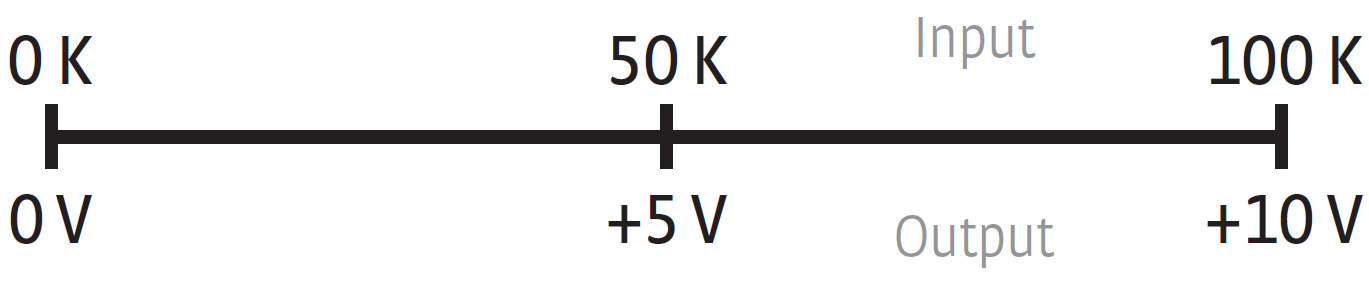
Figure 4.7 Monitor out scaling illustration