3.2. Display Overview
The following section provides an overview of the front panel of the Model 346.
The navigation panel on the left side of the screen allows access to the various views that make up the front panel interface:
Home: used to configure and monitor a control loop, along with monitoring other temperature inputs in the system.
I/O: used to configure individual temperature inputs and heater/analog outputs in the Model 346
Settings: used to access general instrument settings.
ALL OFF: tap this button to quickly de-energize all the outputs and set their ranges to OFF.
Home screen
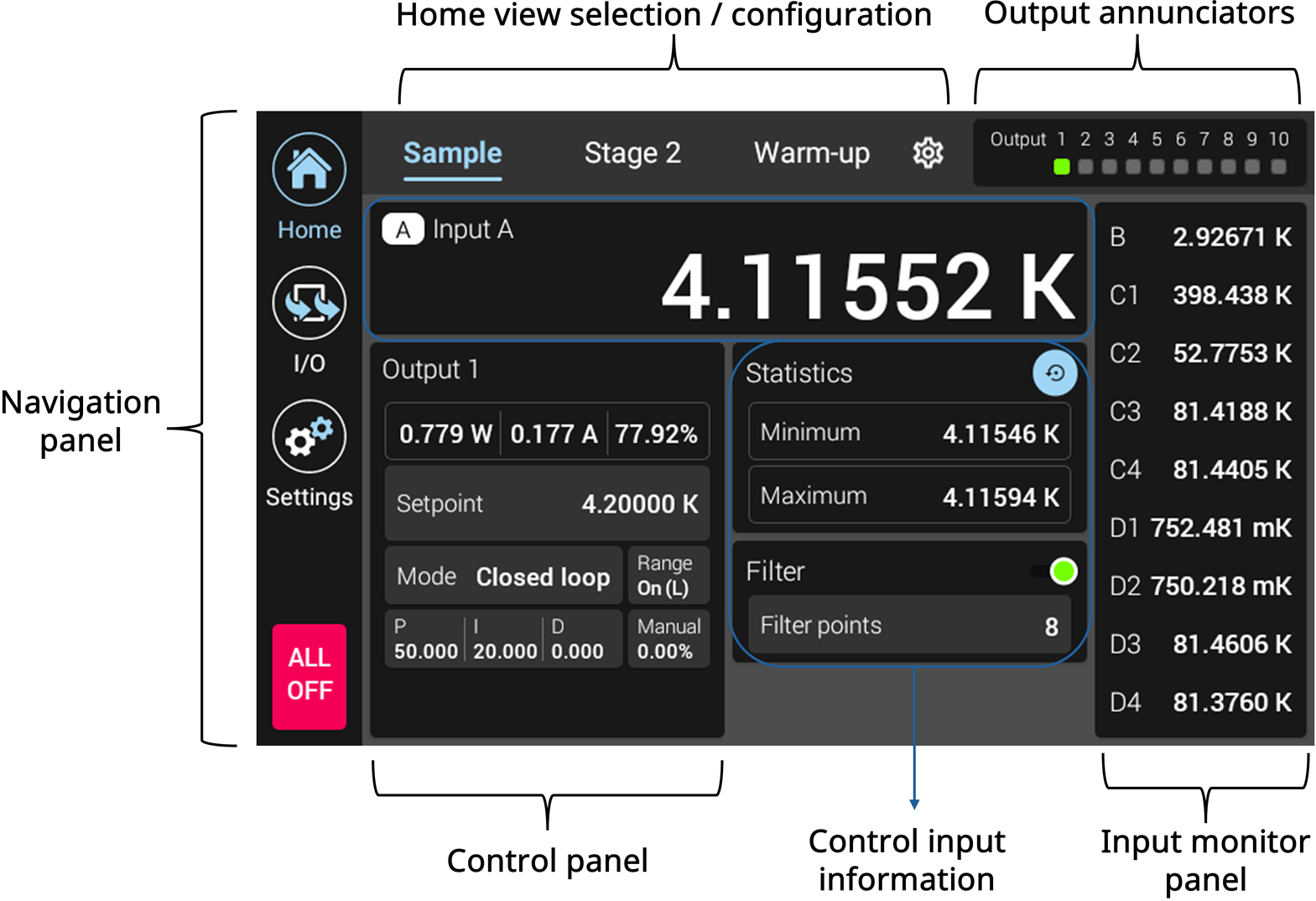
Figure 3.2 Model 346 home screen
The home screen is intended to display user defined control loops. Control loop is a term used to describe the pairing of a temperature input to a heater output. Control loops are output referenced. This means that in order to create a control loop, an input must be assigned to a given output. This can be done via the output settings menu, or by using the OUTMODE remote interface command. The following sections break down the various parts of the home screen.
Home screen selection / configuration
The home screen allows for two customizable control loop views. The view that is currently active is highlighted in blue. In addition, there is a fixed “Warm-up” view that will be described later in this manual.
Tap the name to go to the given view.
Home screen configuration
The home screen allows for two customizable control loop views. To assign an output to a given view, tap the gear icon at the top of the front panel to view the customization page:
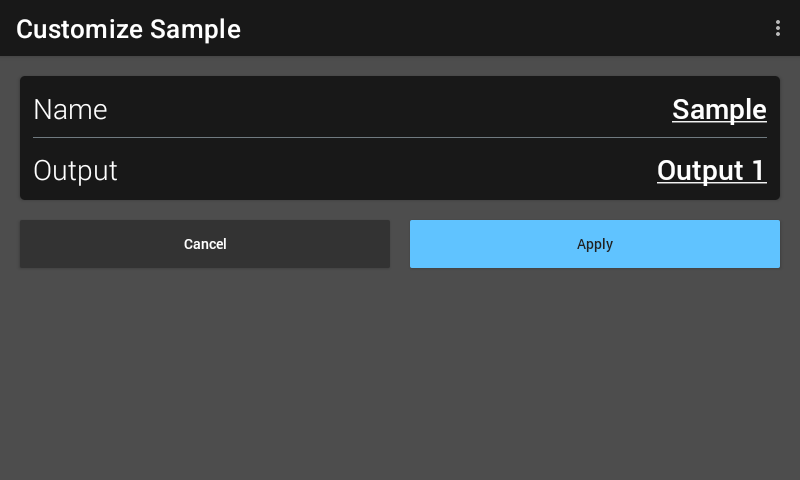
Figure 3.3 Home screen customization screen
A user-specified name can be assigned to the view. In the example above, the name is ‘sample’. In addition, the output can be selected. Valid output selections are 1 to 10.
Output annunciators
These indicators are illuminated green when the corresponding output is in an energized/on state. They are off when the corresponding output is in the off state.
Input monitor panel
The input monitor panel displays the temperature readings of other Model 346 inputs. Only temperatures are displayed here. If an input is disabled, the word “DISABLED” will be displayed. If an input is enabled, but no curve applied, then “NO CURVE” will be displayed.
Tap an input to go to its respective input settings page.
Only 9 inputs at a time can be displayed. However, the panel is scrollable if more inputs are present.
Control input information
At the top of this section, the temperature reading of the control loop’s input is prominently displayed. Tap on the input reading to navigate to its input details page. Like the monitor panel, if the input is disabled, the word “DISABLED” will be displayed. In addition, if no curve is applied, “NO CURVE” will be displayed.
The Statistics panel shows the minimum and maximum readings since the last reset. Minimum and maximum readings are captured continuously. The readings are reset when the instrument is turned off, sensor type is changed, the blue reset icon is tapped, or the MNMXRST remote interface command is issued.
The Filter panel allows enabling and disabling of the exponential smoothing filter that can be applied to the control input. In addition, the number of filter points can be set here. More details of the filter will be explained later in this manual.
Control panel
This is the heart of the home screen, and allows for setting control loop parameters such as setpoint, PID values, and manual output. In addition, calculated (not measured) output power, current, and percentage out are displayed here.
Tap the Range button to set an output’s range to On, which is how the output is energized/turned on. If heater autorange is off, tapping the range button will allow selection of the LOW or HIGH heater range.
Touch the panel to navigate to the output details page for the given output.
I/O Screen
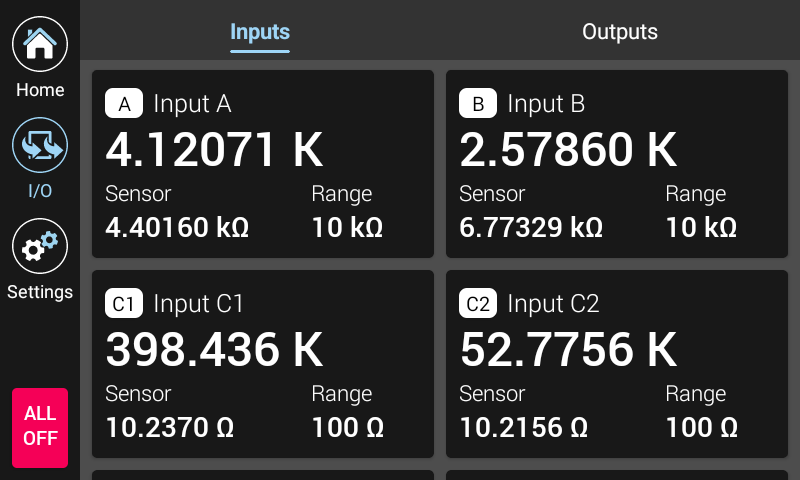
Figure 3.4 Model 346 I/O screen
The I/O screen is used to setup and configure all inputs and outputs in the Model 346.
Tap either Inputs or Outputs at the top of the screen to navigate to the respective input or output listing page.
Settings
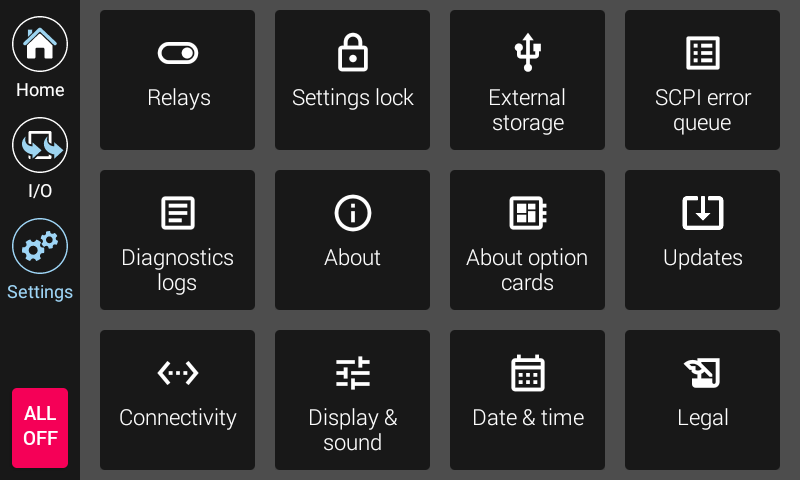
Figure 3.5 Model 346 Settings screen
The settings screen contains various settings and information that aren’t specific to temperature inputs or outputs. Settings located here include, but are not limited to, Relays, Connectivity, Updates, and Reset.